What is Payment field for forms?
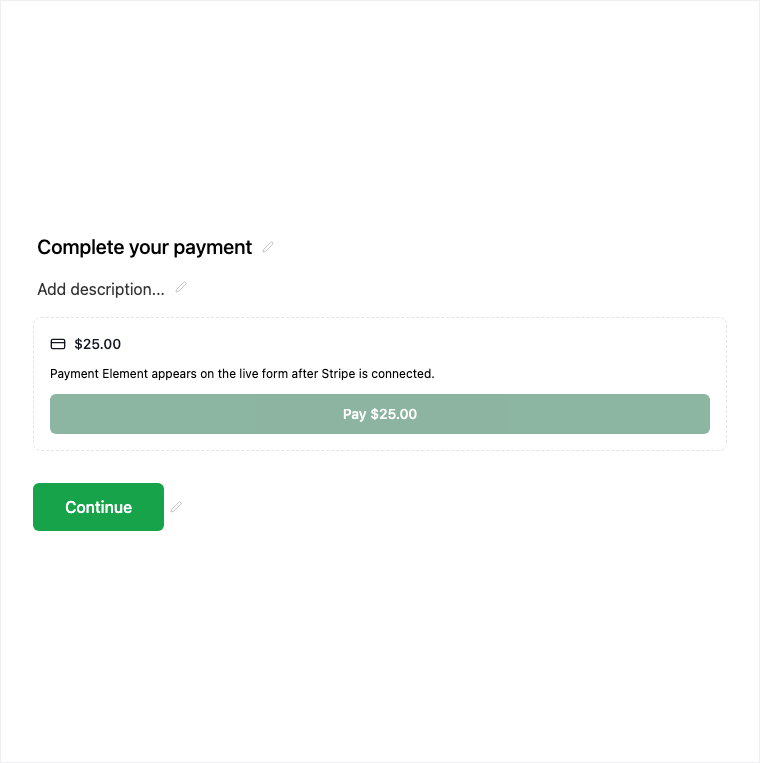
The Payment field collects a fixed amount on the form via Stripe Connect - separate from Formit SaaS billing. Add it from Add Block → Payment after connecting Stripe for the workspace, then set the fixed amount in properties. Publishing payment forms is plan-gated.
How it works
- Connect Stripe Connect for the workspace if it is not already set up.
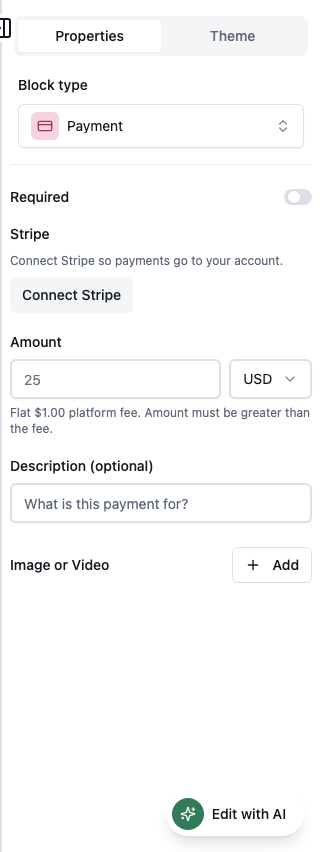
- Add Block → Payment and set the fixed amount in the properties panel.
- Preview the payment step carefully with test mode as appropriate for your Stripe setup.
- Publish on an eligible plan so deposits or registration fees collect on the live form.
Benefits
- Fixed-amount checkout inside the form via Stripe Connect.
- Separate from SaaS billing for your Formit subscription.
- Fit for deposits, registration fees, and fixed-price checkout.
Use cases
- Registration fees on event forms.
- Deposits on application or booking flows.
- Fixed-price checkout inside a payment form.
Properties panel
Block-specific settings for Payment in the builder properties panel.
Respondent view
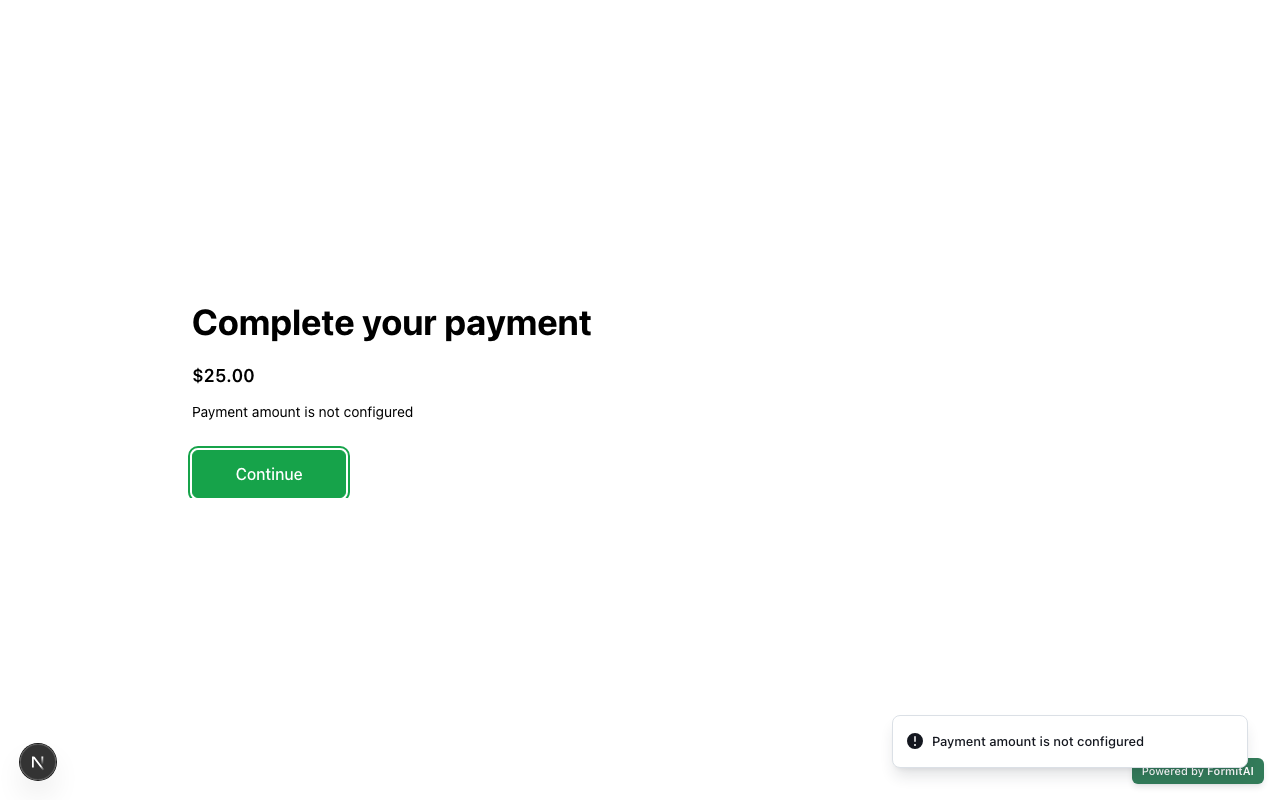
How the Payment field appears when someone fills out your published form.
Tips and best practices
- Connect Stripe for the workspace before configuring the block.
- Confirm plan eligibility - payment publishing is plan-gated.
- See Payment form type docs for end-to-end checkout patterns.
Limitations and plan notes
- Payment collection is plan-gated; publishing may require a higher plan.
- Requires Stripe Connect configured for the workspace.
- Supports a fixed amount - separate from your Formit SaaS billing.
Frequently asked questions
- How are payments processed?
- Payments use Stripe Connect on the form. Connect Stripe for the workspace and set a fixed amount.
- Is Payment the same as Formit billing?
- No. Form payment is separate from SaaS billing for your Formit subscription.
- Is Payment plan-gated?
- Yes. Deposits, registration fees, and fixed-price checkout inside the form are plan-gated.
Try it in FormitAI
Open the builder, configure this in a real form, publish a version, and share a link or embed. Start free - paid features stay honest about plan gates in the product.
Open FormitAI