What is Phone number field?
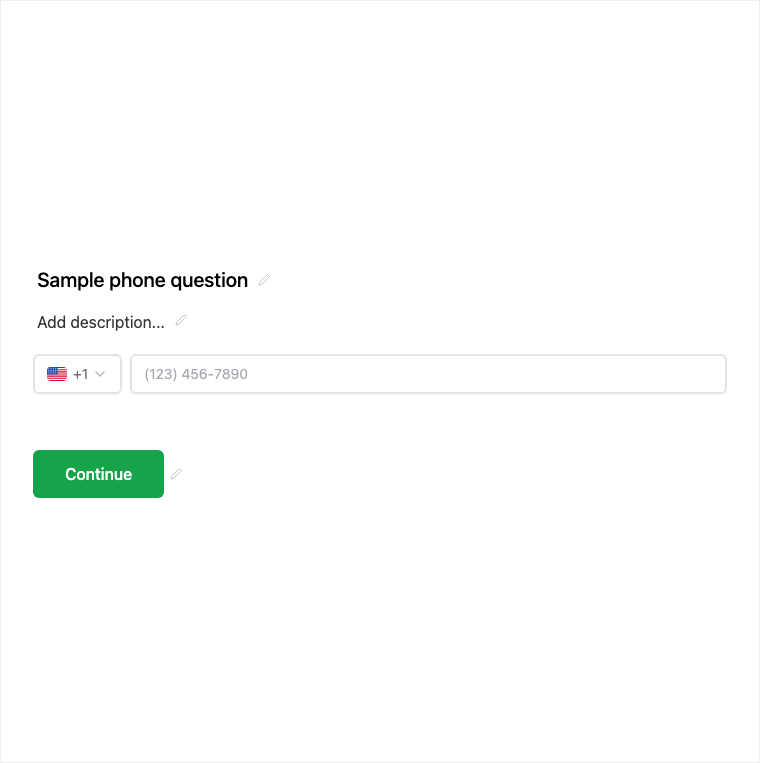
The Phone field collects phone numbers with validation suited to sales, support, and SMS-ready lead capture. Add it from Add Block → Phone in the Formit builder, or combine it with Contact Info when you want name and email in the same structured block. Country context can be clarified in help copy when your audience spans regions.
How it works
- Add Block → Phone (or enable phone on Contact Info if you prefer one block).
- Configure the phone-oriented input and any help text for country context.
- Preview the live form to check the input experience on mobile.
- Publish so callback-ready numbers are collected with submissions.
Benefits
- Phone-oriented input suited to lead capture and support callbacks.
- Works alone or alongside Contact Info for fuller identity capture.
- Useful for enrichment and outbound follow-up workflows.
Use cases
- Sales callback and demo scheduling intakes.
- Support forms that need a reachable number.
- SMS-ready lead capture campaigns.
Tips and best practices
- Combine with Contact Info when you also need name and email.
- Clarify country or dialing expectations in help text when needed.
- Mark required only when a call or SMS follow-up is part of the process.
Frequently asked questions
- Should I use Phone alone or Contact Info?
- Use Phone alone for callback-only intents, or combine with Contact Info when you want name, email, and phone together.
- How do I handle international numbers?
- The field is phone-oriented; combine with country context in copy or help text when your audience spans regions.
- Where does Phone appear in the builder?
- Add Block → Phone, then configure it in the properties panel before preview and publish.
Try it in FormitAI
Open the builder, configure this in a real form, publish a version, and share a link or embed. Start free - paid features stay honest about plan gates in the product.
Open FormitAI