What is Star rating field?
Star Rating collects a five-star style score for products, sessions, and satisfaction. Add it from Add Block → Star Rating in the Formit builder; respondents tap a familiar star UI and you get a quick signal that is easy to chart in analytics. Use Scale when you need NPS-style 0–10 instead.
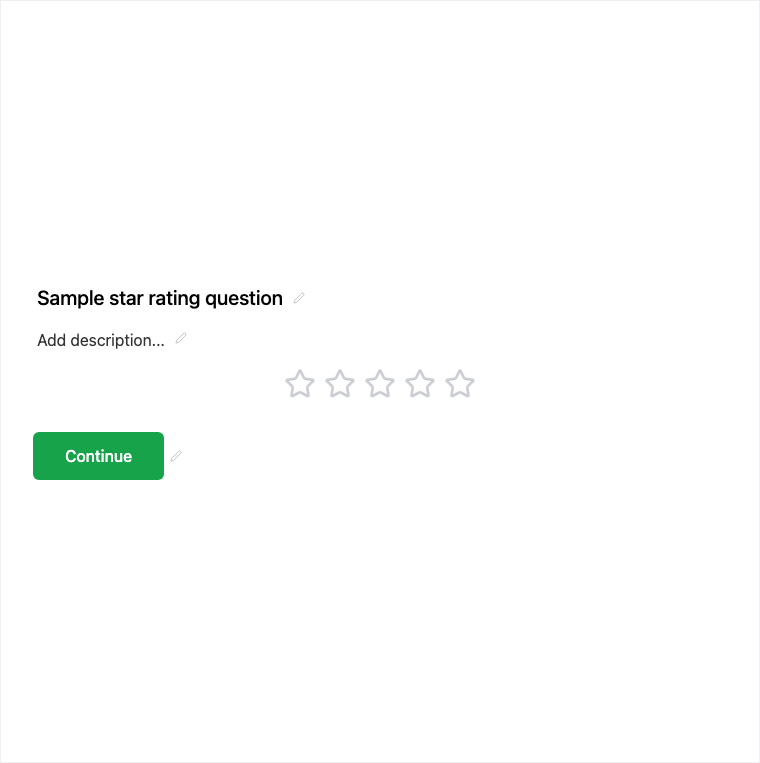
How it works
- Add Block → Star Rating on the canvas.
- Configure the question copy for the product, session, or experience being rated.
- Preview the star UI on mobile and desktop.
- Publish so 1–5 style ratings collect with submissions.
Benefits
- Familiar star UI for quick satisfaction signals.
- Collects a 1–5 style rating in results.
- Easy to chart in analytics alongside other scores.
Use cases
- Product or service reviews.
- Session or event feedback.
- Quick quality scores on post-purchase forms.
Tips and best practices
- Use Scale with a 0–10 range when you need NPS-style scoring.
- Add Long Text after stars when you want qualitative context.
- Keep the rated subject clear in the question title.
Frequently asked questions
- What rating does Star Rating collect?
- A five-star style, 1–5 style rating that appears in results for products, sessions, or satisfaction.
- Is Star Rating good for analytics?
- Yes. Star scores are a quick satisfaction signal and are easy to chart in analytics.
- When should I use Scale instead?
- Use Scale when you need a configurable numeric range such as NPS-style 0–10 with endpoint labels.
Try it in FormitAI
Open the builder, configure this in a real form, publish a version, and share a link or embed. Start free - paid features stay honest about plan gates in the product.
Open FormitAI