What is Access, scheduling, and response limits?
Access controls decide whether a published form still accepts responses. Close a form manually, schedule open and close windows, set response caps, and optionally allow only one response per person to reduce spam and duplicate fills.
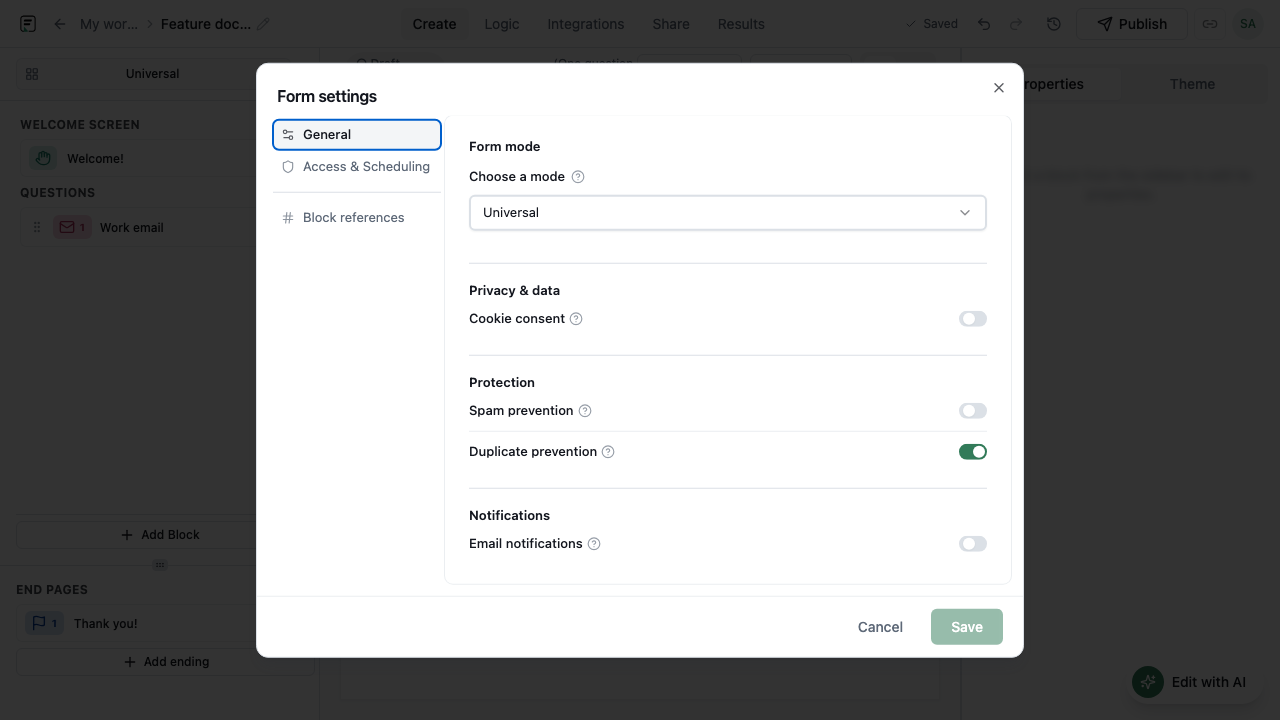
How it works
- Open the form’s access or settings panel in the builder.
- Choose whether the form is open, closed, or scheduled for a time window.
- Optionally set a maximum number of responses (cap).
- Enable one response per person when duplicates should be blocked.
- Publish (or keep published) so the access rules apply to live traffic.
- Monitor Results and reopen or adjust caps when the campaign needs another wave.
Key capabilities
Close form
Stop accepting responses when a campaign or intake window ends.
Schedule access
Open and close the form on a schedule instead of babysitting the toggle.
Response caps
Limit how many submissions are accepted for cohorts, giveaways, or capacity-bound events.
One response per person
Reduce duplicate spam by allowing a single response per person where enabled.
Benefits
- Predictable campaign windows without manual last-minute closes.
- Capacity control for events and limited offers.
- Less duplicate noise in Results.
- Cleaner analytics when the form is only open for intentional periods.
Use cases
- Opening registration Monday and auto-closing Friday.
- Capping a beta waitlist at a fixed number of completes.
- Running a contest that allows one entry per person.
Example workflow
An events team schedules a workshop form to open a week before the date, sets a cap matching room capacity, and enables one response per person. When the cap is hit, new visitors can no longer submit; the team exports Results for the attendee list.
Tips and best practices
- Pair schedule windows with a clear closed-state message so respondents know what happened.
- Set caps slightly above true capacity if you expect no-shows - based on your own policy.
- One response per person helps, but combine it with other spam practices for hostile traffic.
Limitations and plan notes
- Access rules apply to the live form experience; always verify after publishing.
- One response per person reduces duplicates but is not a complete anti-abuse system.
- Timezone assumptions for schedules should be double-checked for global audiences.
Frequently asked questions
- Can I schedule when a form accepts responses?
- Yes. You can schedule access windows so the form opens and closes automatically.
- What is a response cap?
- A maximum number of submissions the form will accept before it stops taking new responses.
- Can I allow only one response per person?
- Yes. Enable one response per person to reduce duplicate fills and simple spam patterns.
Try it in FormitAI
Open the builder, configure this in a real form, publish a version, and share a link or embed. Start free - paid features stay honest about plan gates in the product.
Open FormitAI