What is Analytics basics?
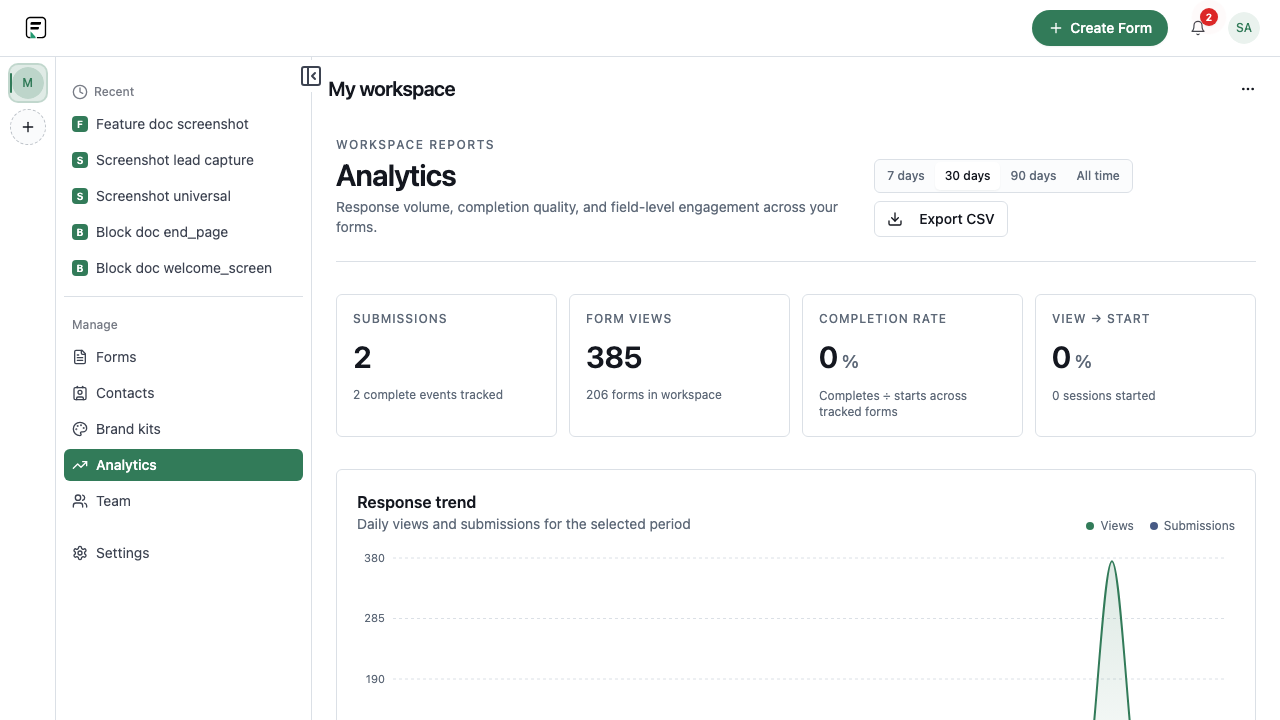
Analytics summarizes how people engage with a live form: views, starts, and completes are available broadly. Per-question funnel and drop-off breakdowns require a Growth plan or higher (FUNNEL_ANALYTICS). Use core metrics to spot drop-off; open funnel views when your plan includes them.
How it works
- Publish the form and begin distributing the public link or embed.
- Open Analytics for that form after traffic starts.
- Review views, starts, and completes for the period you care about.
- Compare completion rate against channel or campaign expectations.
- Investigate drop-off with Results and, where available, deeper funnel views.
- Iterate on copy, length, or logic, then publish again and re-check metrics.
Key capabilities
Views
See how often the published form was viewed.
Starts
Measure how many respondents began filling the form.
Completes
Track finished submissions against views and starts.
Funnel analytics (Growth+)
Per-question funnel and drop-off views require a Growth plan or higher. Views, starts, and completes remain available without Growth.
Benefits
- Quick health check on whether distribution is working.
- Clear start-to-complete conversion for optimization.
- Shared language for marketing, product, and ops reviews.
- A path into deeper analysis when your plan unlocks more funnel detail.
Use cases
- Comparing completion rates across two landing-page embeds.
- Spotting a drop between views and starts after a design change.
- Weekly growth reviews using views, starts, and completes as the baseline.
Example workflow
A growth team shares a pricing-page popup form and checks Analytics after a few days. Views are healthy but starts are low, so they shorten the first screen and republish. Completes rise the following week; they keep using core metrics while deeper funnel views remain tied to plan eligibility.
Tips and best practices
- Give new campaigns enough traffic before judging completion rate.
- Pair Analytics with Results when you need qualitative context behind the numbers.
- After major form edits, publish and treat the new period as a fresh comparison window.
Limitations and plan notes
- Per-question funnel and drop-off analytics require Growth or higher.
- Analytics reflects engagement with published forms, not unpublished drafts.
- Attribution depth still depends on how you pass URL params or hidden fields.
Frequently asked questions
- Which core metrics does Formit Analytics include?
- Views, starts, and completes are the baseline metrics for form engagement.
- Are advanced funnel views always available?
- Per-question funnel and drop-off views require Growth or higher. Views, starts, and completes are available on lower tiers.
- Do draft edits change analytics immediately?
- Respondents interact with published versions. Publish changes before expecting metrics to reflect a new design.
Try it in FormitAI
Open the builder, configure this in a real form, publish a version, and share a link or embed. Start free - paid features stay honest about plan gates in the product.
Open FormitAI