In this article
- Why people look for a Google Forms alternative
- How we compared them
- Quick summary
- 1. FormitAI: best for getting the reason behind an answer
- 2. Tally: best free Google Forms alternative
- 3. Fillout: best free plan for teams
- 4. Jotform: best for templates, payments and signatures
- 5. Microsoft Forms: best for Microsoft 365 users
- 6. Typeform: best respondent experience
- 7. Zoho Forms: best low-cost paid plan
- 8. Cognito Forms: best for calculations and structured data
- How to choose
- When to stay with Google Forms
- Frequently asked questions
Why people look for a Google Forms alternative
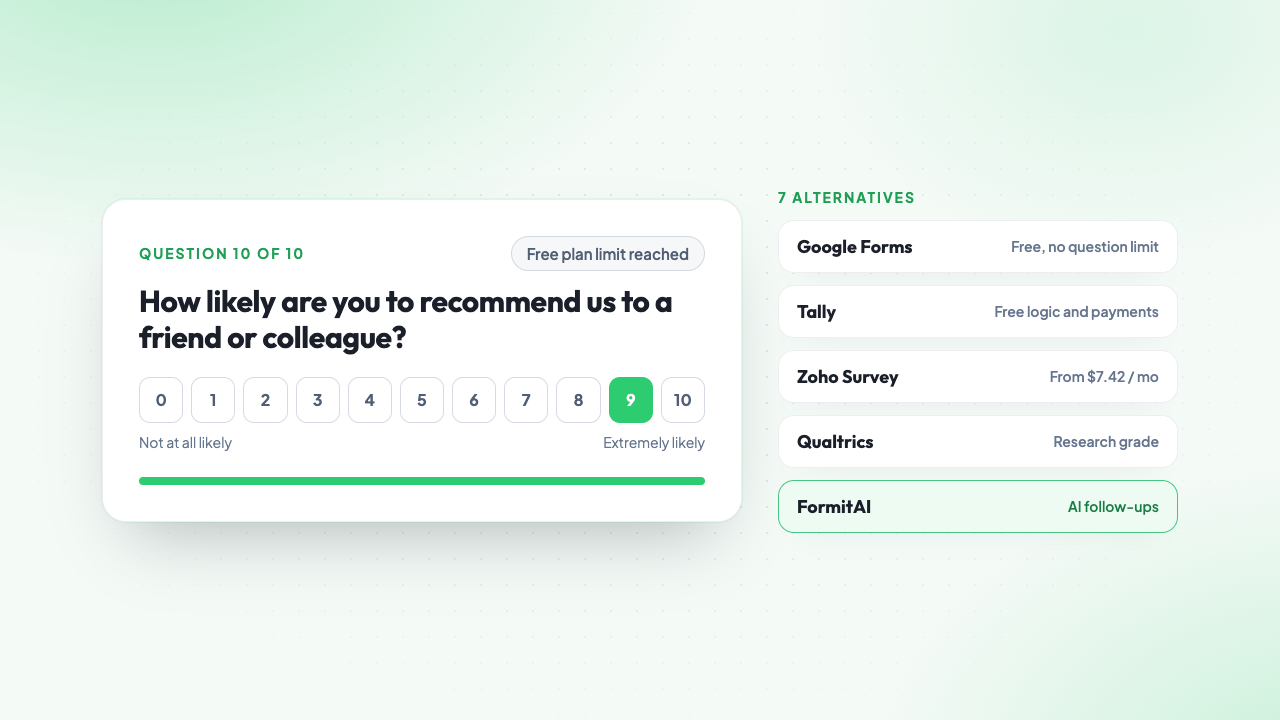
Google Forms is hard to beat on price: it is free with a Google account and responses land in Google Sheets. People usually start looking elsewhere for one of a few reasons.
- Design: forms look like Google Forms, with little control over layout, fonts or branding
- Logic: branching works by sending people to sections, which gets awkward for anything complex
- Missing features: no built-in payments, e-signatures or calculations
- File uploads: respondents must sign in to a Google account to upload a file
- Depth: a form cannot ask a follow-up question based on what someone typed
How we compared them
FormitAI is our product, so it is on this list and we have an interest in you choosing it. To keep the comparison fair, every price and limit below was read from the vendor's own pricing or help pages on 25 November 2026, and each entry says who the tool suits and where it falls short, including ours. Prices are in US dollars and can change, so check the vendor's site before you buy.
Quick summary
If you only read one section, read this one.
- Best free replacement: Tally (unlimited forms and submissions under fair use)
- Best free plan for teams: Fillout (1,000 responses a month, unlimited seats)
- Best for templates, payments and signatures: Jotform
- Best if you use Microsoft 365: Microsoft Forms
- Best respondent experience: Typeform
- Best for understanding why people answered as they did: FormitAI
- Best low-cost paid plan: Zoho Forms ($12 a month for 10,000 submissions)
- Best for calculations and structured data entry: Cognito Forms
1. FormitAI: best for getting the reason behind an answer
Google Forms collects the answer you asked for and stops there. FormitAI drafts a form from a one-sentence prompt, and its AI follow-ups read each answer while the respondent is still there and ask one relevant probe, so a vague "it was confusing" becomes a specific answer. It is a newer and smaller product than the others here, and its free plan is built for trying the product, not for high volume.
- Free plan: unlimited forms, 20 responses a month, 1 seat, 20 AI credits a month, FormitAI branding on forms
- Paid from: $29 a month (Basic) for 100 responses a month; branding removal starts on Plus at $49 a month
- Good for: feedback, research and lead forms where the "why" matters more than response volume
- Watch out for: low response limits on Free and Basic; Slack, Google Sheets, WhatsApp and Zapier integrations start on the Business plan
2. Tally: best free Google Forms alternative
Tally is a form builder that works like a text document: you type questions and add blocks with a slash command. Its free plan is the most generous here. Tally says it offers unlimited forms and submissions for free within its fair use guidelines, and conditional logic, calculations, payments, signatures and file uploads are all included without paying.
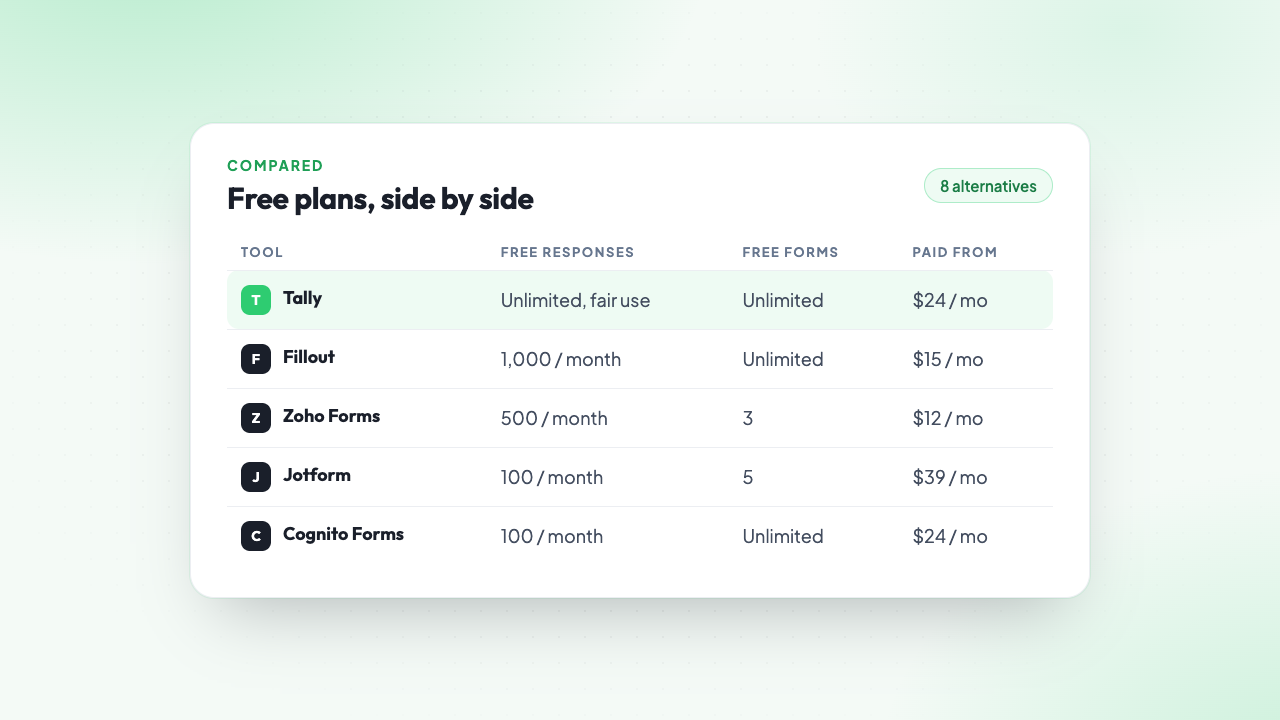
- Free plan: unlimited forms and submissions, subject to a fair use policy
- Paid from: $24 a month (Pro) on monthly billing, which removes Tally branding and adds custom domains, partial submissions and workspaces
- Good for: individuals and small teams who want a capable free form builder, and Notion users, since forms embed in Notion pages
- Watch out for: Tally branding on free forms, and fair use is a policy, not a guaranteed quota for sustained high volume
3. Fillout: best free plan for teams
Fillout is a form builder with a strong free tier and a focus on connecting forms to the tools where your data already lives. The free plan includes conditional logic, payments, scheduling and PDF generation.
- Free plan: 1,000 responses a month, unlimited forms, unlimited seats, Fillout badge on forms
- Paid from: $15 a month (Starter) for 2,000 responses a month
- Good for: teams that want several people building forms without paying per seat
- Watch out for: custom domains, analytics and partial submissions are on the Business plan ($75 a month), and full branding removal needs Pro ($40 a month)
4. Jotform: best for templates, payments and signatures
Jotform is one of the oldest and broadest form builders, with a very large template library, payment forms, e-signatures and PDF tools. Its free plan includes every feature and limits usage instead.
- Free plan (Starter): 5 forms, 100 submissions a month, 1 user, 100 fields per form, Jotform branding
- Paid from: $39 a month (Bronze) on monthly billing, or $34 a month billed annually, for 25 forms and 1,000 submissions a month
- Good for: businesses that need payments, signatures or a ready-made template for almost any form; a HIPAA option is available on the Gold and Enterprise plans
- Watch out for: the 5-form cap on the free plan, and self-serve plans are single-user (multiple users need Enterprise)
5. Microsoft Forms: best for Microsoft 365 users
Microsoft Forms is the closest like-for-like tool to Google Forms. It is free with a personal Microsoft account and included in Microsoft 365 work and school plans, and results export to Excel.
- Free plan: free with a Microsoft account; up to 400 forms, 200 questions per form, and 200 responses per form on free personal accounts
- Paid: no separate price; included with Microsoft 365 plans, where work and school accounts allow up to 5,000,000 responses per form
- Good for: organizations and schools that already run on Microsoft 365
- Watch out for: Microsoft itself describes it as a basic, lightweight app, and the 200-response cap on free personal accounts is low
6. Typeform: best respondent experience
Typeform popularized the one-question-at-a-time form and is still the benchmark for a polished respondent experience. Logic, scoring and calculations are available on the free plan, and every plan allows unlimited forms.
- Free plan: unlimited forms, 10 responses a month across all forms
- Paid from: $39 a month (Basic) on monthly billing, or $28 a month billed yearly, for 100 responses a month and 1 user
- Good for: brand-led surveys and lead forms where design and completion experience come first
- Watch out for: the smallest free response allowance on this list, and removing Typeform branding starts on the Plus plan
7. Zoho Forms: best low-cost paid plan
Zoho Forms is part of the Zoho suite and offers a lot of volume for a low price. Its mobile app can collect responses without an internet connection, which suits field work and events.
- Free plan: 3 forms, 500 submissions a month, 1 user
- Paid from: $12 a month (Basic) on monthly billing, or $10 a month billed yearly, for unlimited forms and 10,000 submissions a month
- Good for: small businesses that need high submission volume cheaply, and teams already using Zoho apps
- Watch out for: the free plan allows only 3 forms, and HIPAA compliance is listed only on the top Premium tier
8. Cognito Forms: best for calculations and structured data
Cognito Forms is built for forms that behave like small applications: order forms, registrations and internal requests with calculations, conditional logic and repeating sections. The free plan allows unlimited forms and can take payments.
- Free plan (Individual): unlimited forms, 100 entries a month, 1 user, Cognito Forms branding
- Paid from: $24 a month (Pro) on monthly billing, or $19 a month billed annually, for 2,000 entries a month
- Good for: order forms, registrations and data entry with calculated fields
- Watch out for: electronic signatures and save-and-resume start on Pro, and HIPAA compliance is listed only on Enterprise
How to choose
Start from the reason Google Forms stopped working for you.
- You need it free and unlimited: Tally
- Several people need to build forms: Fillout
- You need payments, signatures or a specific template: Jotform or Cognito Forms
- Your company or school is on Microsoft 365: Microsoft Forms
- The form is part of your brand: Typeform
- You keep getting short, vague answers: FormitAI
- You expect thousands of responses on a small budget: Zoho Forms
When to stay with Google Forms
Google Forms is still the right choice for many jobs. If the form is internal, the look does not matter, you want responses in Google Sheets, and you do not need payments or complex logic, switching will cost you time for little gain. Its response allowance is also far higher than the free plan of almost every tool above.
Frequently asked questions
- What is the best free alternative to Google Forms?
- For most people it is Tally, which offers unlimited forms and submissions for free under a fair use policy and includes conditional logic, payments and file uploads. Fillout is a strong second, with 1,000 free responses a month and unlimited seats.
- Is there a Microsoft version of Google Forms?
- Yes, Microsoft Forms. It is free with a personal Microsoft account, with a limit of 200 responses per form, and is included in Microsoft 365 work and school plans.
- Why would I pay for a form builder when Google Forms is free?
- Usually for one of four things: control over design and branding, more advanced logic, built-in payments or signatures, or better data, such as partial responses and follow-up questions. If you need none of these, Google Forms is fine.
- Can any of these ask follow-up questions automatically?
- FormitAI generates a follow-up question from the respondent's answer during the form, and this works on its Free plan. Typeform lists a similar feature, Clarify with AI, on its pricing page under the Talent plan. We did not find an equivalent on the other vendors' pricing pages.
Written by
FormitAI Team
We build FormitAI, an AI form builder that drafts forms from a prompt and asks follow-up questions based on each answer. Our guides come from building and testing forms and surveys every day.
About FormitAIBuild your next form in FormitAI
Describe the form you need and get an editable draft, then let AI follow-ups ask respondents the question you would have asked in person. Free to start.