What is E-signature form field?
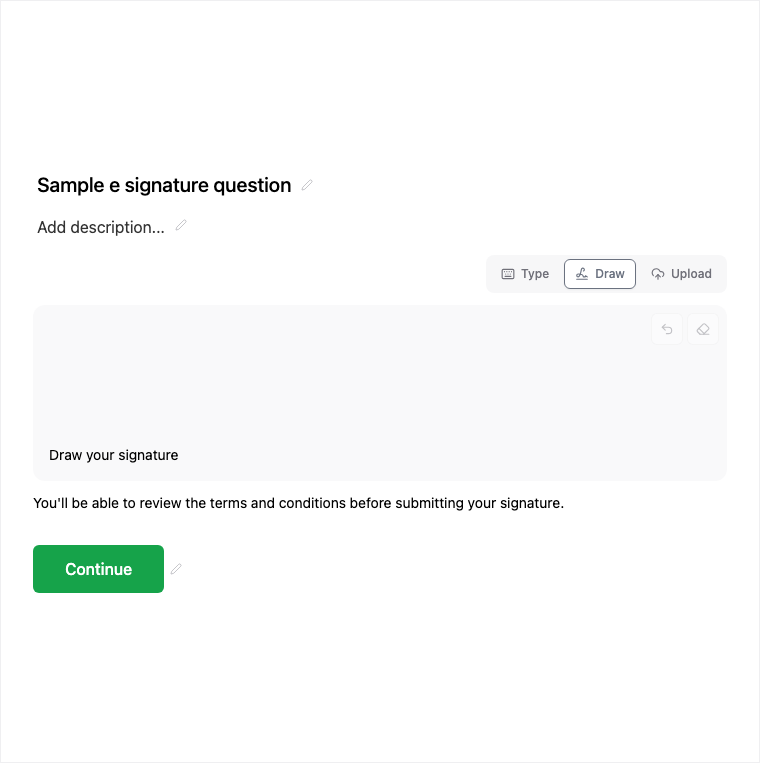
E-Signature collects a typed, drawn, or uploaded signature for agreements, waivers, and approvals. Add it from Add Block → E-Signature in the Formit builder; the signature is stored with the submission. Publishing may require a higher plan.
How it works
- Add Block → E-Signature on the canvas.
- Offer type, draw, or upload signature options and place the block near agreement copy.
- Preview each signature method on the live form.
- Publish on an eligible plan so signatures are collected with submissions.
Benefits
- Type, draw, or upload signature methods in one block.
- Signature stored with the submission for review.
- Fit for agreements, waivers, and policy acknowledgments.
Use cases
- Waivers and policy acknowledgments.
- Offer letters or agreement acceptance flows.
- Approval signatures on application forms.
Tips and best practices
- Pair with Legal or Statement blocks for the agreement text above the signature.
- Confirm plan eligibility before publishing forms that require e-signature.
- Preview draw and upload paths on touch devices.
Limitations and plan notes
- Publishing E-Signature may require a higher (paid) plan.
- Use for agreements and waivers as configured - confirm your compliance needs separately from the product UI.
Frequently asked questions
- What signature methods are supported?
- Respondents can type, draw, or upload a signature, configured from the properties panel.
- Where is the signature stored?
- The signature is stored with the submission for review alongside other answers.
- Is E-Signature plan-gated?
- Yes. Publishing may require a higher plan. Agreements and waivers are common uses when your plan allows it.
Try it in FormitAI
Open the builder, configure this in a real form, publish a version, and share a link or embed. Start free - paid features stay honest about plan gates in the product.
Open FormitAI