What is Slider field for forms?
The Slider field lets respondents drag a value across a range instead of typing a number. Add it from Add Block → Slider in the Formit builder, set min/max bounds in properties, and collect a numeric answer in results. It is a visual alternative to the Number field when an approximate dial feels better.
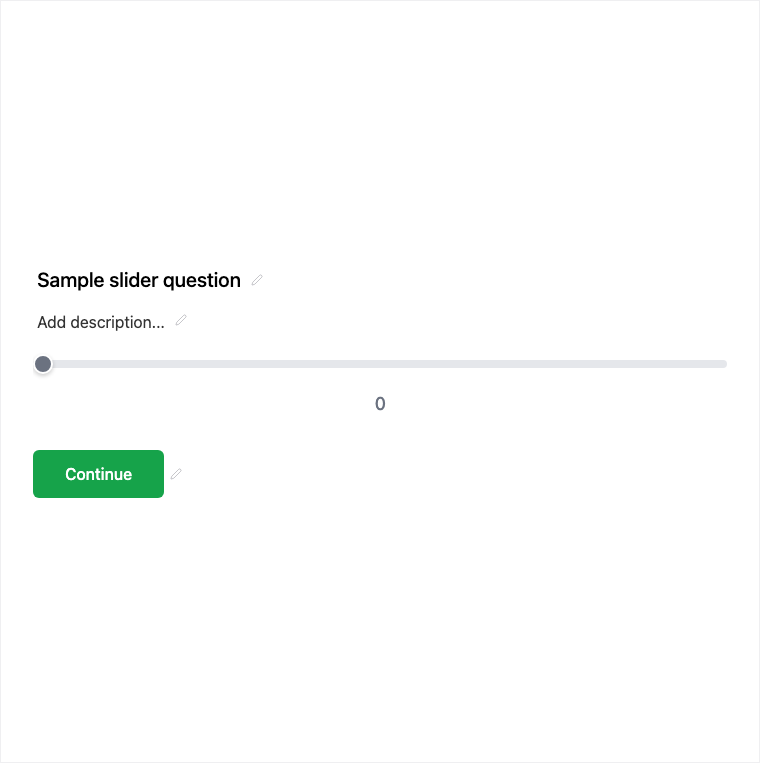
How it works
- Add Block → Slider on the canvas.
- Set min/max range bounds and clarify units in the question copy.
- Preview the drag interaction on desktop and mobile.
- Publish so slider values are stored as numeric answers.
Benefits
- Visual alternative to typing a Number field.
- Configurable min/max range for approximate values.
- Stores a numeric answer for results and export.
Use cases
- Approximate budget or effort estimates.
- Intensity or preference dials where precision typing is unnecessary.
- Any quantity where a drag control feels more natural than a keyboard.
Tips and best practices
- Use Number when respondents must type an exact value.
- State units in the question so the range meaning is obvious.
- Keep the range realistic - overly wide bounds make answers harder to interpret.
Frequently asked questions
- What does Slider store?
- It stores a numeric answer, just like a typed Number, after the respondent drags a value.
- How do I set the range?
- Configure min/max range bounds in the builder properties panel.
- When should I prefer Slider over Number?
- Prefer Slider when an approximate dial feels better than a typed number; use Number for precise entry.
Try it in FormitAI
Open the builder, configure this in a real form, publish a version, and share a link or embed. Start free - paid features stay honest about plan gates in the product.
Open FormitAI