What is Text field for forms?
The Text field is Formit’s single-line input for short free-form answers such as names, titles, and labels. You add it from Add Block → Text and set placeholder, required, and optional character limits in the properties panel. Use Long Text instead when respondents need paragraphs.
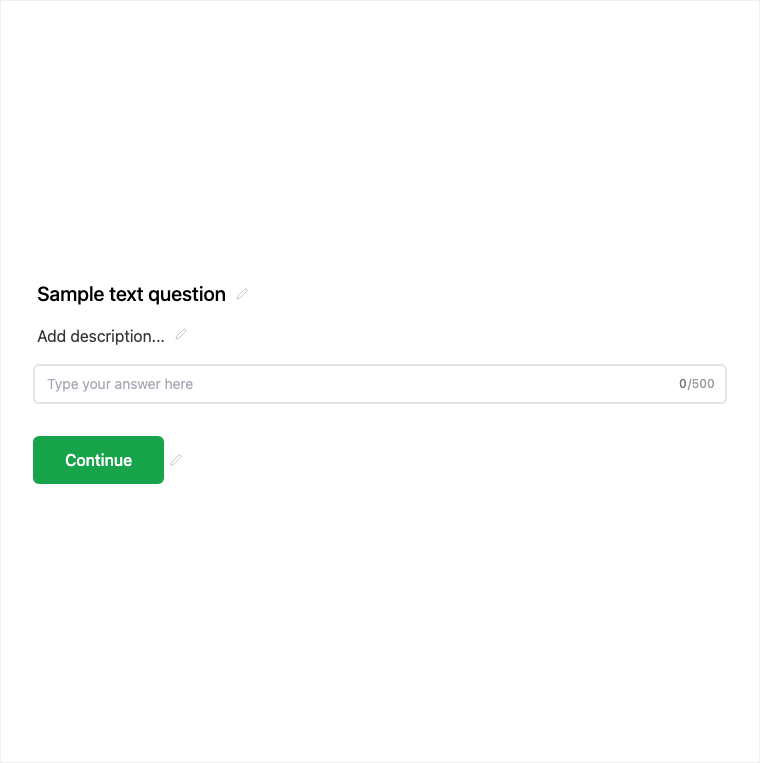
How it works
- Add Block → Text on the form canvas.
- Set placeholder, help text, required/optional, and any character limits in properties.
- Preview to confirm the single-line input reads clearly on mobile and desktop.
- Publish the form version with the text question live.
Benefits
- Lightweight single-line input for short answers without extra validation rules.
- Placeholder and help text guide respondents without cluttering the question.
- Clear separation from Long Text so paragraph answers stay on the right control.
Use cases
- Job titles, project names, or short free-form labels.
- Preferred name or nickname when Contact Info is too heavy.
- Referral codes or short IDs that are not emails or URLs.
Tips and best practices
- Use Email, Phone, Number, or URL when you need format validation.
- Switch to Long Text for multi-line feedback or explanations.
- Keep placeholders short so they do not look like pre-filled answers.
Frequently asked questions
- Is Text single-line only?
- Yes. Text is single-line only - use Long Text when you need paragraph answers.
- What can I configure on a Text field?
- Typical controls include placeholder, help text, required/optional, and optional character limits in the properties panel.
- When should I use Text instead of Email or Number?
- Use Text for short answers that do not need email, phone, or number validation.
Try it in FormitAI
Open the builder, configure this in a real form, publish a version, and share a link or embed. Start free - paid features stay honest about plan gates in the product.
Open FormitAI