What is AI follow-up question?
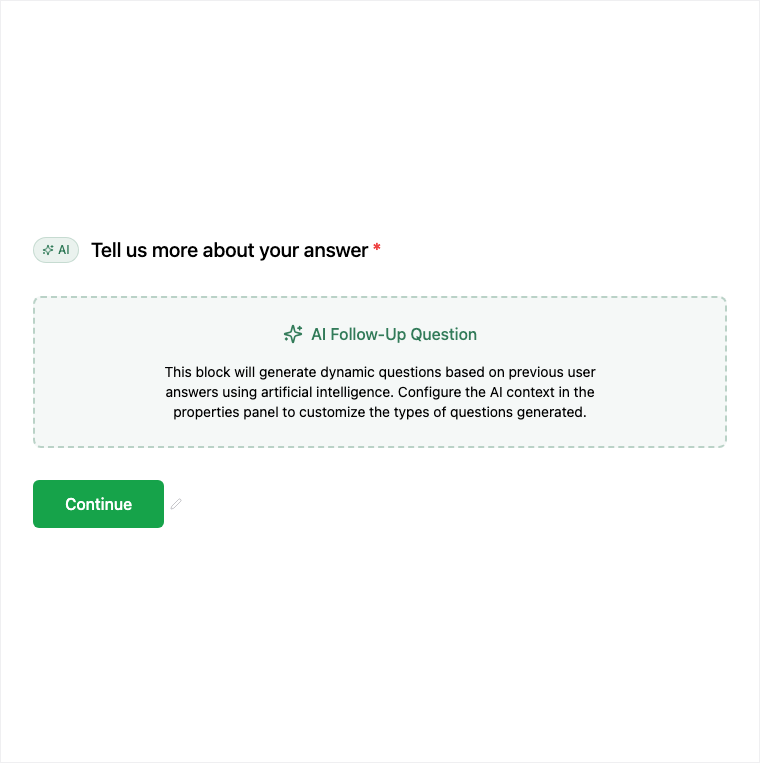
AI Follow-Up asks a contextual AI-generated probe based on earlier answers while the respondent is still filling the form. Enable AI follow-up on a question or add the AI Follow-Up block in the Formit builder. It is not an after-submit email digest and is distinct from Slack/Sheets alerts. Publishing may require a higher plan.
How it works
- Enable AI follow-up on a question or Add Block → AI Follow-Up.
- Choose source questions that benefit from clarification (low scores, open text, vague intent).
- Preview the in-form probe behavior on the live fill experience.
- Publish on an eligible plan so contextual follow-ups run during the fill.
Benefits
- Contextual probes at fill time while the respondent is still present.
- Clarifies vague or low scores without waiting for a later email.
- Distinct from Slack/Sheets after-submit alerts.
Use cases
- Clarify low NPS or satisfaction scores in-session.
- Probe vague Long Text answers during the fill.
- Research forms that need richer qualitative depth without a second survey.
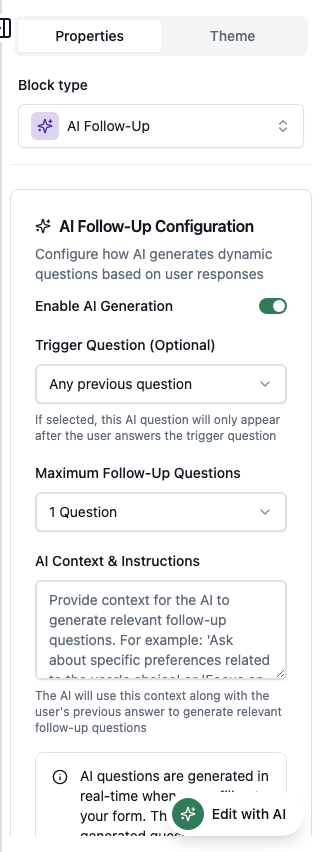
Properties panel
Block-specific settings for AI Follow-Up in the builder properties panel.
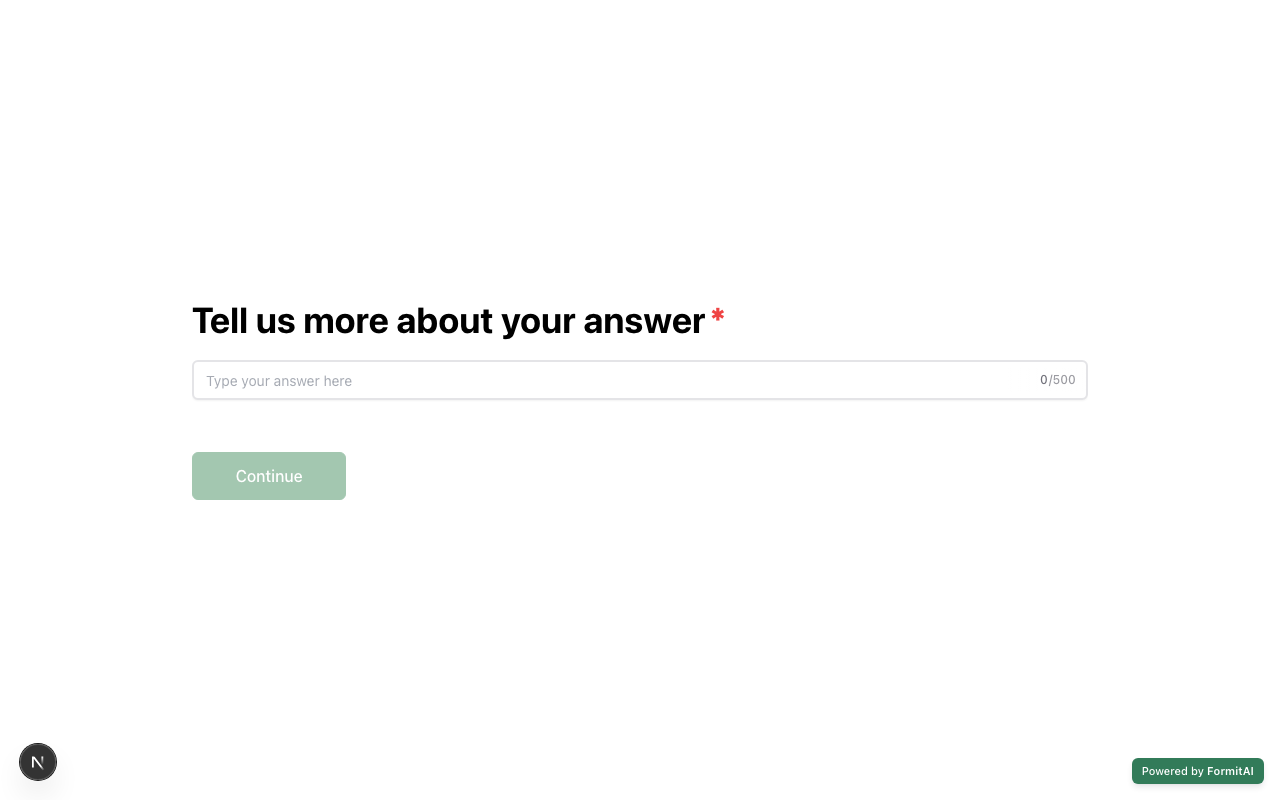
Respondent view
How the AI Follow-Up field appears when someone fills out your published form.
Tips and best practices
- Attach follow-ups to questions that are often vague or scored low.
- Do not confuse in-form AI follow-ups with Slack or Sheets after-submit routing.
- Confirm plan eligibility before publishing AI follow-up enabled forms.
Limitations and plan notes
- Publishing AI follow-up may require a higher (paid) plan.
- Probes happen at fill time - not as an after-submit email digest.
- Distinct from Slack/Sheets/Zapier alerts that fire after submit.
Frequently asked questions
- When do AI follow-ups fire?
- They fire during the fill as contextual probes based on earlier answers - not as an after-submit email digest.
- Is AI follow-up the same as Slack alerts?
- No. AI follow-ups are in-form probes. Slack/Sheets alerts are after-submit notifications.
- Is AI Follow-Up plan-gated?
- Yes. Publishing may require a higher plan to run AI follow-up on live forms.
Try it in FormitAI
Open the builder, configure this in a real form, publish a version, and share a link or embed. Start free - paid features stay honest about plan gates in the product.
Open FormitAI