What is Audio and video response field?
Audio and Video Response lets respondents record or upload video or audio, with a text fallback when needed. Add it from Add Block → Audio and Video Response in the Formit builder. Treat it as premium: storage-heavy answers and publishing may require a higher plan.
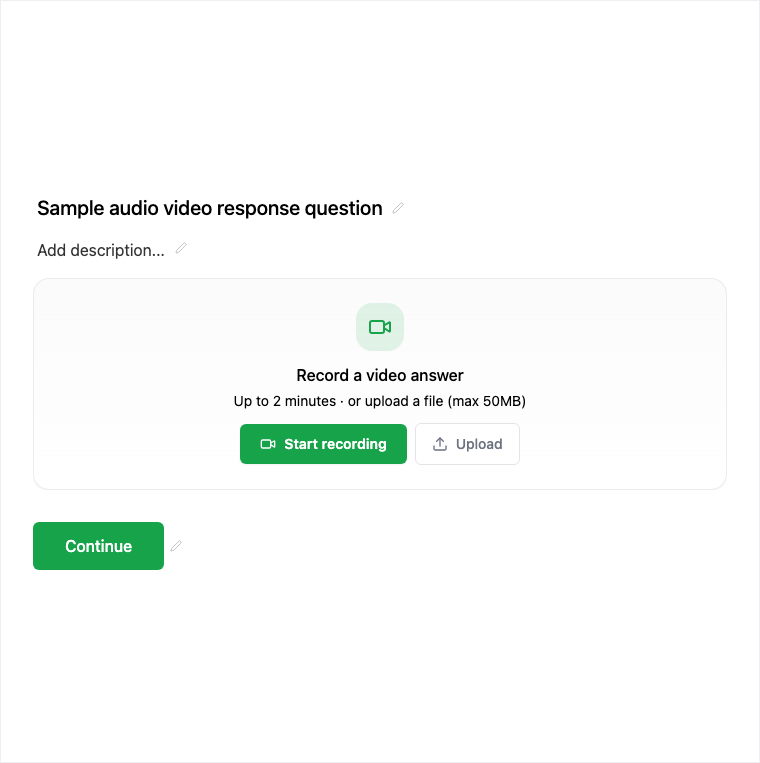
How it works
- Add Block → Audio and Video Response on the canvas.
- Configure record/upload behavior and text fallback in the properties panel.
- Preview recording and upload on a device with camera/mic access.
- Publish on an eligible plan so media responses are live.
Benefits
- Record or upload rich qualitative answers in-flow.
- Text fallback when media is unavailable.
- Strong fit for interviews and async screening.
Use cases
- Async interview or screening responses.
- Rich qualitative research answers.
- Universal forms that need spoken or video replies.
Tips and best practices
- Warn respondents about mic/camera permission needs in the question copy.
- Offer text fallback for environments where recording is blocked.
- Confirm your plan supports publishing this block before go-live.
Limitations and plan notes
- Publishing Audio and Video Response may require a higher (paid) plan.
- Media answers are storage-heavy - treat the block as a premium capability.
- Respondents need device permissions to record; upload or text fallback may be necessary.
Frequently asked questions
- Can respondents use text instead of media?
- Yes. The block supports a text fallback when recording or upload is not possible.
- Is Audio and Video Response plan-gated?
- Yes. Publishing may require a higher plan because media responses are storage-heavy and treated as premium.
- How do respondents submit media?
- They can record or upload video/audio on the live form after you add the block and publish on an eligible plan.
Try it in FormitAI
Open the builder, configure this in a real form, publish a version, and share a link or embed. Start free - paid features stay honest about plan gates in the product.
Open FormitAI