What is Email notifications?
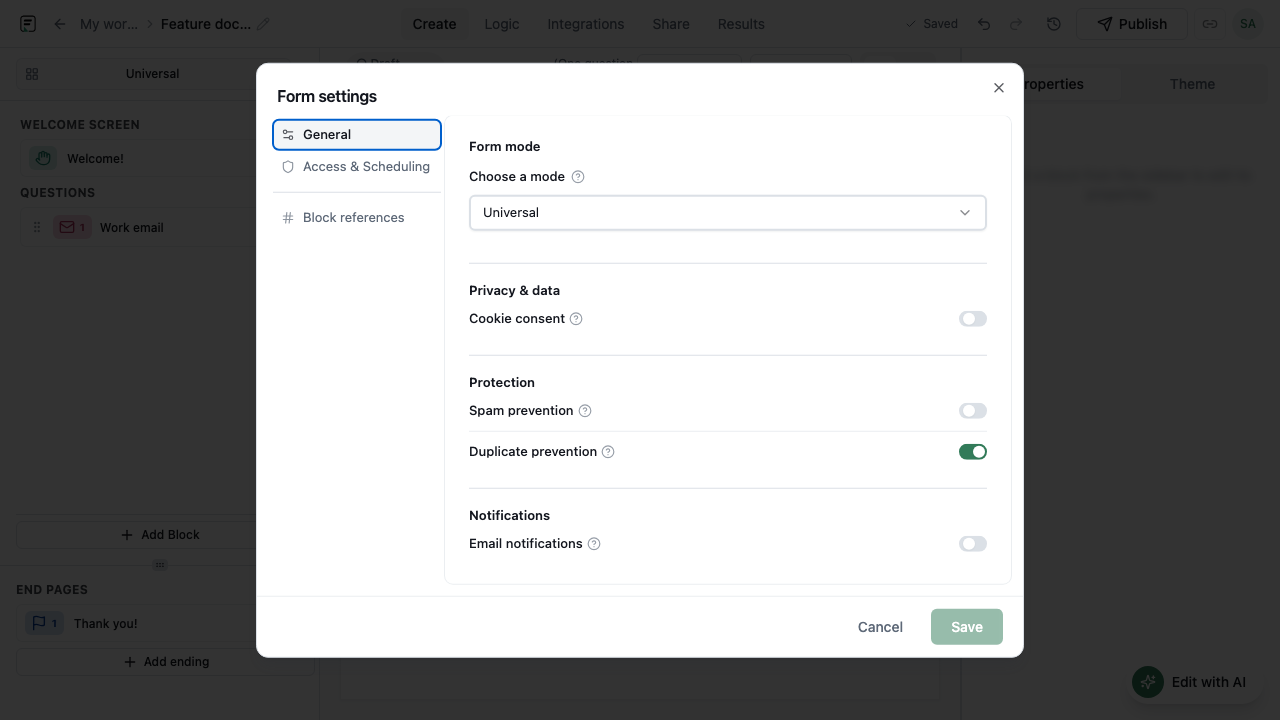
Email notifications alert form owners when a new submission arrives. Use them for lightweight ops coverage when you want inbox awareness without configuring a full Slack or Zapier pipeline.
How it works
- Open the form’s notification or share settings after the form exists.
- Enable owner email alerts for new submissions.
- Confirm the owner email is correct for the people who should be notified.
- Publish the form if it is not already live.
- Submit a test response and verify the alert arrives.
- Adjust recipients or disable alerts if volume becomes noisy.
Key capabilities
Owner alerts on submit
Email the form owner when a respondent completes a submission.
Inbox-friendly monitoring
Stay aware of inbound responses without keeping Results open.
Works with published forms
Alerts fire against live submission activity on published forms.
Complements integrations
Use email alerts alone or alongside Slack/Sheets when both are needed.
Benefits
- Fast awareness of high-intent submits like demos or applications.
- Low setup cost compared with full automation stacks.
- Useful backup when chat integrations are not configured yet.
- Keeps owners close to Results without constant polling.
Use cases
- Alerting a founder when a waitlist form gets a new signup.
- Notifying an HR owner when an application is submitted.
- Covering after-hours lead intake with email before Slack is wired up.
Example workflow
A consultant enables owner email notifications on a discovery form, publishes, and receives an inbox alert for each completed brief. When volume grows, they keep email on for personal awareness and add a Slack integration for the wider team.
Tips and best practices
- Send a test submission after enabling alerts so you know delivery works.
- For high-volume forms, prefer filtered destinations (Slack/Zapier) to avoid inbox overload.
- Do not confuse owner alerts with AI follow-ups - alerts notify you; probes ask respondents inside the form.
Limitations and plan notes
- Notifications are owner-oriented alerts, not full marketing email automation.
- High submission volume can create inbox noise without additional routing rules.
- Deliverability still depends on normal email path constraints outside Formit.
Frequently asked questions
- Who gets email notifications?
- Owner email alerts notify the form owner when a submission comes in.
- Is this the same as AI follow-ups?
- No. Email notifications alert owners. AI follow-ups ask in-form questions to respondents.
- Can I still use Slack if email alerts are on?
- Yes. Email notifications and after-submit integrations can complement each other.
Try it in FormitAI
Open the builder, configure this in a real form, publish a version, and share a link or embed. Start free - paid features stay honest about plan gates in the product.
Open FormitAI